

The 2026 Ultimate Guide to Wireless LED Pixel Tubes: App vs. DMX vs. Remote
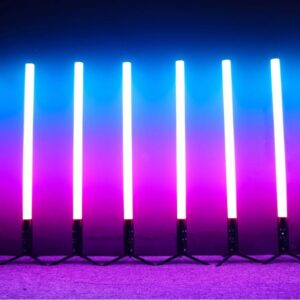
As we approach 2026, the Wireless LED Pixel Tube (specifically, the 360° RGBWA 5in1 Model) is revolutionizing the event industry. The days of taping down hundreds of meters of cables are over. Clients now demand cleaner setups, faster turnaround times, and immersive lighting effects.
Whether you are a wedding DJ, a stage lighting engineer, or a venue owner, choosing the right control method is key. In this guide, we break down how to control this Wireless LED Pixel Tube and why its battery technology is a game-changer.
Part 1: Control Modes for Your Wireless LED Pixel Tube
One light, three ways to use it. We designed the control options of our Wireless LED Pixel Tube to fit different levels of technical needs.
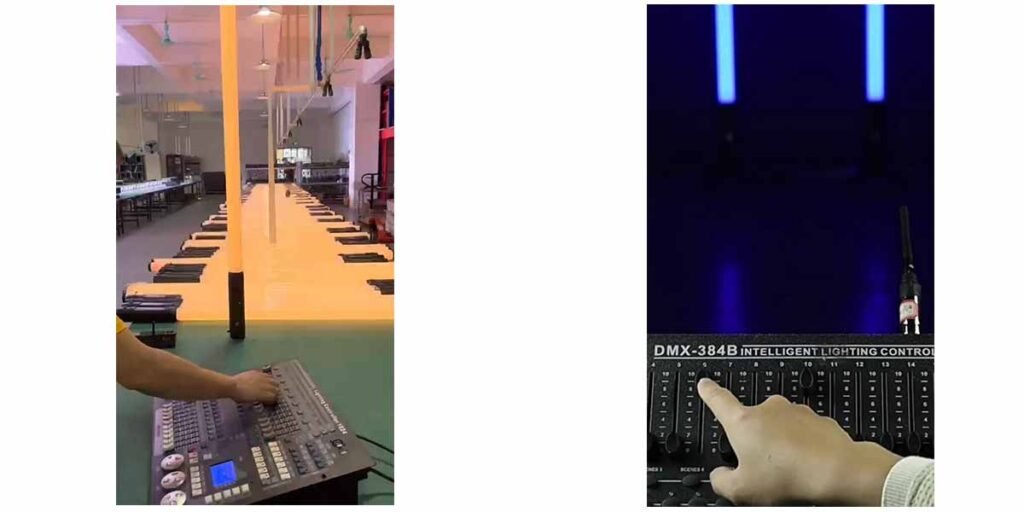
1. For the Perfectionist: Wireless DMX 512 Control
Target User: Professional Lighting Designers (LDs) & Stage Engineers.
If your event demands precision, using Wireless DMX with your pixel tube is the best choice.
How it works: Compatible with standard 2.4G wireless protocols (supporting both Guangzhou and Sweden protocols). You can patch these tubes into your MA, Avolites, or Onyx console just like a wired fixture.
The Advantage: Zero latency and total creative freedom. Create complex “meteor showers” or “rainbow flow” effects across multiple tubes without running a single DMX cable.
2. For the Visual Creator: Smartphone App Control
Target User: Wedding DJs, Party Planners, & Content Creators.
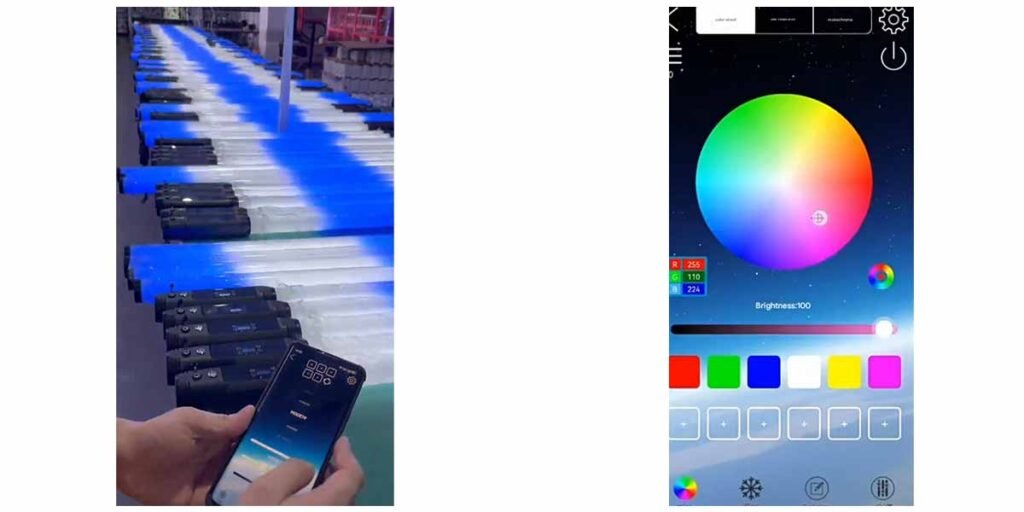
Want to see exactly what you’re getting? Our Wireless LED Pixel Tube features a dedicated App control mode.
How it works: Simply connect via the dedicated App (iOS/Android).
The Advantage: It is incredibly visual. Drag your finger across the color wheel to find that perfect “Blush Pink” for a wedding, or tap a preset mode to instantly start a dynamic color chase. You control the mood of the room from the palm of your hand.
3. For the “Set & Forget” Setup: IR Remote
Target User: Venue Owners, Restaurants & Quick-Turnaround Events.
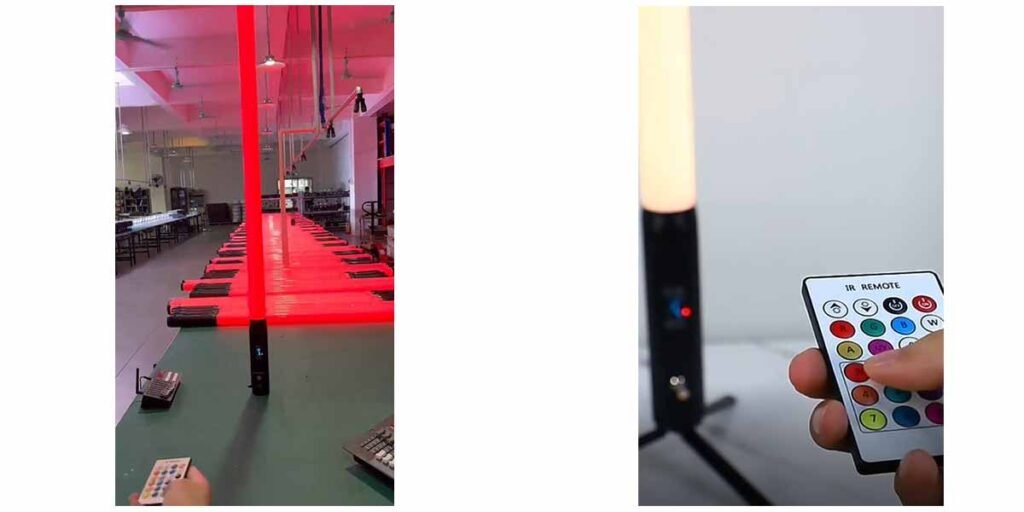
Sometimes, you just need light—fast. The IR Remote is the quickest way to operate your Battery LED Pixel Tube.
How it works: Just point the remote at the tube and click.
The Advantage: Speed. It is the fastest way to set a static background color or a simple auto-run mode. Perfect for when you have 10 minutes to light up a room before guests arrive.
Part 2: Wireless LED Pixel Tube Battery Life (9600mAh)
We know your biggest fear: Dead batteries in the middle of a speech.
That is why we didn’t just put a generic battery in this tube; we engineered a power station. This Wireless LED Pixel Tube is equipped with a massive 9600mAh battery.
The Hard Data:
12+ Hours: Single Color Mode (Red, Green, Blue, or Amber).
8+ Hours: Full White / High-Output Auto Mode.
Smart Power Management: The motherboard actively manages power consumption, ensuring the light output remains stable. No dimming as the battery drains—just pure light until the job is done.
Part 3: Why Choose an IP65 Wireless LED Pixel Tube?
Why limit your creativity to the indoors? This is a fully rated IP65 Outdoor fixture.
Rain or Shine: The sealed aluminum alloy housing protects against rain, dust, and humidity.
360 Degree Visibility: Unlike flat par lights, this Wireless LED Tube light ensures there are no “dead angles.” It looks beautiful from every side, making it perfect for hanging centerpieces or pathway lighting.
Conclusion: Future-Proof Your Inventory
Whether you need the precision of DMX, the visual ease of an App, or the speed of a Remote, the Qianshi Battery LED 360 Pixel Tube adapts to your style. Combined with a massive battery and waterproof design, it is the ultimate Cable-free Event Setup solution for 2026 and beyond.
Ready to upgrade? 👉 [Click here to view full specifications and Get a Quote]





 English